Letters of introduction
-
choose a ClubGuests template to provides all the essential information for your letter of introduction.
-
choose a custom design to customise the body of your letter of introduction.
Choosing a template
-
select the No custom design item from the Manage Club menu. This will load build letter form.
-
select either the Use the ClubGuests standard template or Create a custom template option.
-
When you choose an option, the form will hide or show other fields depending on what you chose.
- The menu items in the Manage club menu will also change.
Custom letter design
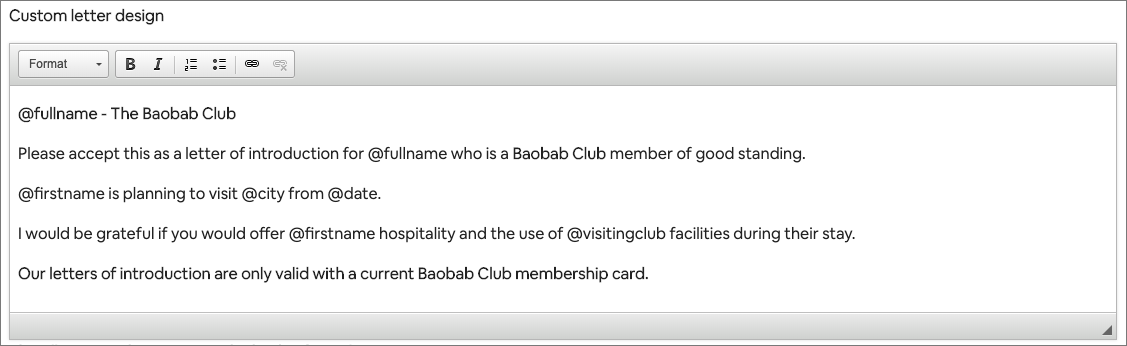
You can fully customise the body of your letter of introduction using your own text and merge tokens.
-
you do not need to add in the 'Dear Sir'. ClubGuests detects if there is a properly named person as the visited club administrator and substitutes in the first name. If there is no properly named person "Dear Club Administrator" is substituted.
-
you do not need to add in "Yours sincerely" or other parts of the letter. These are configured elsewhere on the form.
Letter tokens
The following tokens are available to merge into your text.
- @firstname - member first name
- @lastname - member last name
- @fullname - member first and last name
- @visitingclub - club the member is visiting
- @date - visit date
- @city - visit city
- @country - visit country
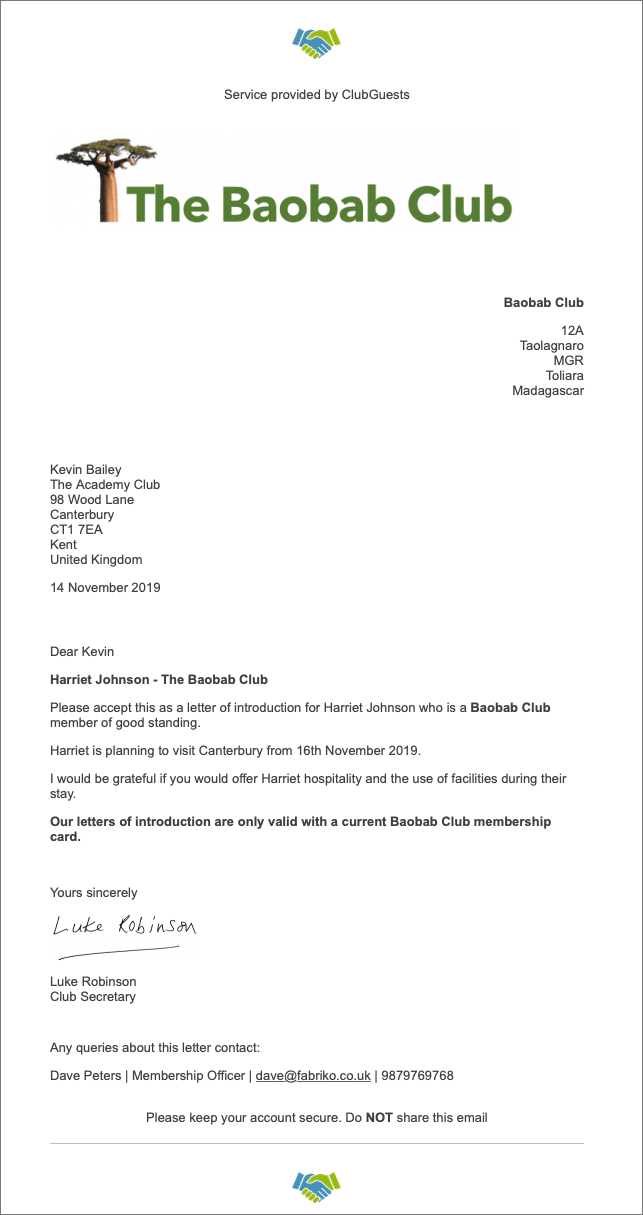
Worked example
This entry on the build letter form
Produces this letter of introduction
Other letter components
These components are used on both templates, apart from the Extra Text which is only used for the ClubGuests template.
The sign-off, signatory, signature and position are used in other correspondence generated by the site.
-
when you verify a member
-
when you accept an incoming link
-
when you add a club
-
when you suspend a member
-
when you suspend an agreement
-
when you create a special offer
Letterhead
The letterhead appears on all letters of introduction. It gives your letters authority.
The letterhead looks best if it show’s your club logo and your club name.
-
The letterhead is required.
-
It does not need to include your address.

Signatory
-
This can be a paragraph of text that personalises your letter.
-
It can contain whatever sign-off you choose, such as Yours sincerely (which is the correct form for this letter).
-
If you are not the signatory, you can put someone else in.
-
The letter signatory is required.
Position
This is the title of the letter signatory, for example Club Secretary, Commodore.
- The letter position is required.
Letter signature
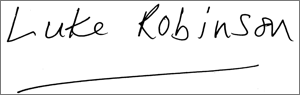
This is the signature of the person you have chosen as signatory to letters of introduction.
-
Your signature will be re-sized to 100px height.
-
Make sure you have no white borders in your image. Otherwise your signature will appear to be smaller than the pixel dimensions.
-
Use a white or transparent background with a dark contrasting signature.
Sign off
-
Yours sincerely, Yours faithfully?
-
The letter sign-off is required.
Extra text
This is only available on the ClubGuests template letter. It appears after the body of the letter before the sign-off. Use to add a personal touch to your letter. You may also include any extra authorisation require to validate the letter. For example, your letter is only valid if presented with a current membership card, or is valid for 30 days.
- If you are using the custom template then you can simply write this information anywhere on the template.
Testing your letter
You are advised to test your letter to ensure there are no errors.
You can only test the letter when you have completed all the required fields. You can check your progress using the Manage club menu. The Preview Letter link will appear.